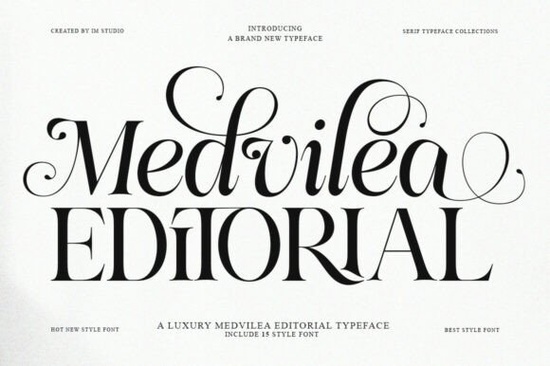
When you need a typeface that feels high-end but remains highly readable, finding the right balance between thick and thin strokes is crucial. The Medvilea Editorial Font offers exactly that balance. It is a modern display serif built specifically for projects that need a sophisticated look without feeling outdated. Whether you are designing a fashion magazine cover, a premium product label, or a simple social media graphic, having a versatile serif family makes a huge difference in your final layout. If you want to see the full character set before downloading, you can check out the detailed page for this specific serif family.
What makes this typeface stand out for luxury branding?
A major challenge for small business owners, crafters, and print-on-demand sellers is making their products look expensive without hiring a custom typographer. This collection solves that by providing 15 uniquely curated styles. You get everything from a sleek condensed version to a bold extra-expanded option. The subtle contrasts and elegantly detailed curves give your work a premium feel. If you are building a brand identity, you can use the standard regular weight for your main logo and switch to the italic versions for secondary text. The refined details add perceived value, which is essential when you are trying to compete in crowded markets.
How do I use multiple font weights without cluttering my design?
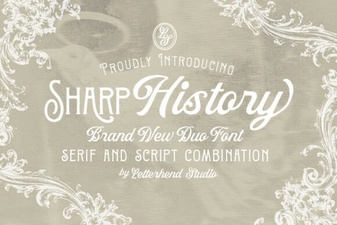
Having 15 variations might seem overwhelming at first, but it actually simplifies your design process once you understand visual hierarchy. Instead of mixing different typefaces to create contrast, you can rely on the built-in proportions. For example, use the semi-condensed style for a tight, impactful headline on a boutique coffee bag, and pair it with the expanded italic for a stylish subheading. This keeps your layout clean and professional. If you ever need a similar vibe but want to compare options, you might also look at other modern serifs like the Sharp History typeface to see how different curves affect the overall mood of your project.
Which projects benefit most from a modern display serif?
This typeface is highly versatile, but it truly shines in specific niches where aesthetics are the main selling point. Here is where you should consider using it:
- Fashion and lifestyle brands: It works beautifully on cosmetic packaging, clothing tags, and event posters where elegance and style are key.
- Print and digital publishing: Magazine titles, blog headers, and book layouts need strong, readable headlines that hold up beautifully at large sizes.
- Premium product labels: If you sell artisanal goods, candles, or high-end crafts, the refined details make your physical products look much more expensive.
- Digital presence: Use it for aesthetic social media quotes or elegant web typography to make your online store stand out.
For a slightly more playful or expressive alternative for your lifestyle brand, you could also explore the Dream to BeRich font to see how a different personality might fit your specific niche.
Does it support multiple languages for global projects?
Yes, it includes extensive international language support. This is incredibly helpful if you are designing for a global audience or creating multilingual packaging for an international client. The complete set of uppercase and lowercase characters ensures your text looks consistent, whether you are typing in English, French, German, or Spanish. You can find the full Medvilea Editorial collection to verify the specific glyph coverage for your target region before you start your final layout.
How can I ensure my typography looks professional in the final print?
Before you send your files to the printer or publish them online, run through this quick checklist to ensure you are getting the most out of your typography:
- Limit your weight choices to two or three styles per design to maintain a clean, uncluttered look.
- Use the condensed weights for short, punchy headlines and the expanded weights for shorter, decorative words.
- Check your language support requirements before setting your final text to avoid missing characters.
- Test your headlines at both large display sizes and smaller body sizes to ensure the thin strokes remain readable.
- Increase your line height slightly when using the italic versions to prevent the letters from feeling cramped.
Final tip: Always pair a highly detailed display serif with a simple, clean sans-serif for your body text. This contrast allows your main typography to stand out while keeping your paragraphs easy to read.
Download Now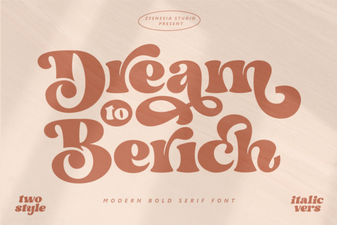 Dream to Berich Font: Creative Uses & Free Download
 Sharp History Fonts for Modern Web Design
 A Modern Ballpoint Font for Design Projects
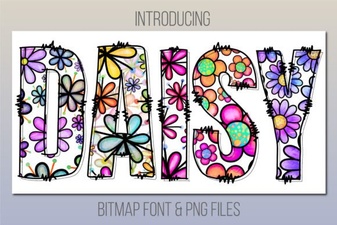 Daisy Font: Free, Friendly Script for Digital Projects
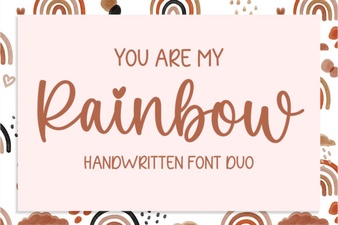 Rainbow Font Design Ideas & Inspiration
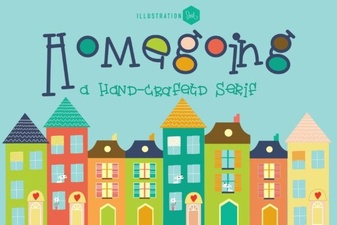 The Homegoing Font: a Creative Typography Guide