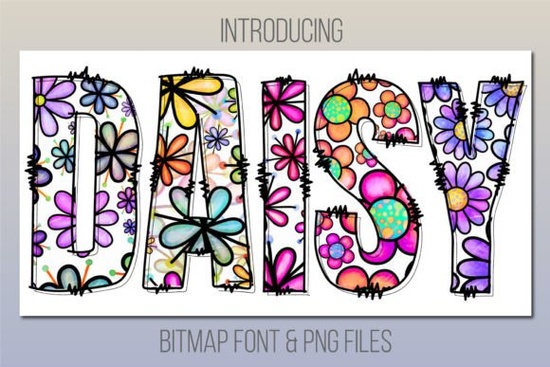
If you are looking to add a cheerful, hand-drawn feel to your spring or summer projects, the Daisy Font is a fantastic option. This friendly print color font brings a playful and jolly touch to almost any design. Whether you are creating greeting cards, packaging, or social media graphics, this colorful display typeface gives your work a warm, inviting vibe without feeling overly complicated.
What software do I need to use this color font?
Because this is a bitmap color font, it does not work in every program. You need specific software that supports OpenType-SVG or bitmap color fonts. It works perfectly with Adobe Photoshop CC 2017 or newer, Illustrator CC 2018 or newer, and InDesign CC 2019 or newer. If you are a Mac user, you can also use it natively in Fontbook, Pages, and Keynote.
Can I use this font in Cricut Design Space?
The short answer is no. This specific typeface is not compatible with Cricut Design Space or other cutting machine software like Silhouette Studio. However, the creator includes a helpful workaround. You get a bonus file filled with PNG images of every letter. You can easily upload these individual letter PNGs into your cutting software to spell out your words, giving you the exact same colorful look for your vinyl decals and paper crafts.
How can I pair this playful typeface with other styles?
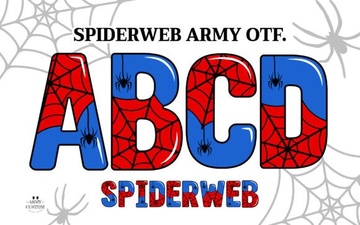
When designing a poster or a product label, mixing fonts creates visual interest. Since this daisy print style is so bold and decorative, it pairs best with simpler, cleaner typefaces for your body text. If you want to stick to a fun, themed aesthetic for a spooky-cute project, you might also want to check out the Spiderweb Army font to see how different vibrant options can fit various seasonal moods. You can also explore more colorful fonts with a floral theme on the platform if you want to build a cohesive brand look.
What are the best projects for this jolly print style?
This typography shines in projects that need a lighthearted, approachable feel. Print-on-demand sellers can use it for t-shirt designs targeting moms, teachers, or garden lovers. Small businesses selling handmade soaps, candles, or baked goods will find it adds a lovely artisan touch to their labels. Crafters can use the included PNGs for digital scrapbooking, planner stickers, or sublimation tumblers.
Why do my letters look pixelated when I zoom in?
Because this is a bitmap font, the letters are made of tiny pixels rather than smooth mathematical curves. When you zoom in closely on your screen, the edges might look slightly jagged. Do not panic; this is completely normal for this font style. When you print the design or export it at the correct resolution, the edges will look crisp and clean. Just make sure you are working at 300 DPI for physical products to keep the colors vibrant.
Can I change the colors of the letters?
One common question with pre-colored typefaces is whether you can alter the hues. Since the colors are baked into the font files, you cannot simply change the text color in your software like you would with a standard black font. If you need a different color palette, you will need to use the bonus PNG files. You can open the PNGs in Photoshop, use the selection tools to isolate the colors, and adjust the hue to match your brand.
Quick checklist before you start designing:
- Check your software version: Ensure your Adobe CC or Mac app is updated to the minimum required version.
- Locate the bonus files: If you use Cricut or Silhouette, unzip the folder and find the PNG character sheets.
- Test a few letters: Type a short word first to see how the colors render in your specific program.
- Keep backgrounds simple: Let the colorful letters pop by using solid or very subtle background textures.
 Spiderweb Army Font: Tips for Creative Design Projects
 A Modern Ballpoint Font for Design Projects
 Rainbow Font Design Ideas & Inspiration
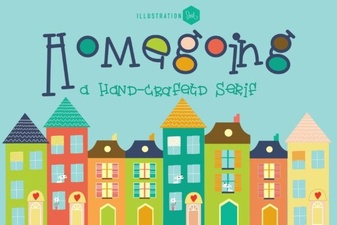 The Homegoing Font: a Creative Typography Guide
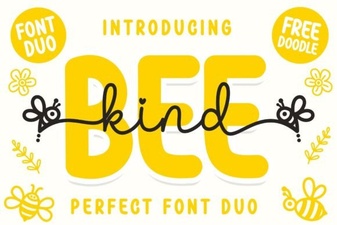 Bee Kind Duo Font for Creative Typography Projects
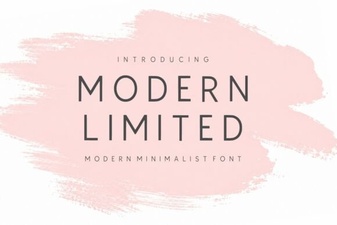 Modern Fonts for Clean & Creative Design Projects