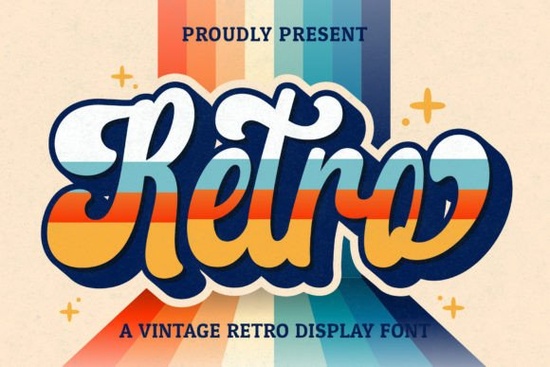
When you need to give your projects a nostalgic, handcrafted feel, finding the right typography is everything. Retro Script is a vintage-style handwritten font that brings a cool, mid-century vibe to your work. Whether you are designing a logo for a local bakery or creating wedding invitations, this typeface offers the perfect blend of classic charm and modern usability. Because it is PUA encoded, you do not have to struggle with complex character maps to find those beautiful, flowing swashes.
What makes this vintage handwritten font stand out?
There are plenty of script typefaces out there, but a truly useful one needs to be practical. This font balances readability with personality. The letters have natural thickness variations, mimicking a real brush. For crafters and print-on-demand sellers, this means your text looks organic. If pairing it with other styles, try a tropical display typeface for a contrasting header, or an elegant option like Homegoing Font for body text.
How do I access all the glyphs and swashes?
One of the biggest frustrations with decorative scripts is finding alternate characters. Since this is a PUA encoded font, all extra glyphs, ligatures, and swashes are mapped to standard Unicode Private Use Area codes. You can access them easily using the glyph panel in software like Adobe Illustrator, Photoshop, or Canva. Just type your base letter and select the swash you want from the panel. No need to memorize complex keyboard shortcuts.
What projects work best with retro typography?
This style is incredibly versatile for small businesses and creative hobbyists. Here are a few ways to use it effectively:
- Branding and Logos: Perfect for boutique shops and coffee houses wanting a welcoming, established look.
- Wedding Invitations: The flowing lines add a romantic touch to save-the-dates and menu cards.
- Social Media Graphics: Use it for quote overlays to make your feed look cohesive and stylish.
- Stationery: Great for thank you cards, product labels, and custom stickers.
If you are working on seasonal projects, mix it with a festive typeface like Welcome Christmas Font for December campaigns, or switch to a modern display alternative for a minimalist look. You can also grab the Retro Script Font directly from the product page.
How do I keep the text readable on small screens?
Because script fonts have lots of connecting lines, they can become hard to read at small sizes. To keep your designs accessible:
- Use it primarily for headings and short phrases rather than long paragraphs.
- Increase the tracking slightly if using all-caps, though it looks best in lowercase.
- Ensure high contrast between the text and background colors.
- Avoid placing text over busy, highly detailed background images.
Where can I find more inspiration for my layouts?
Seeing how other designers use similar styles can spark new ideas. You can explore more options by checking out the Retro Script collection on Creative Fabrica. Browsing user previews will help you visualize how the swashes look in real mockups.
Before you finalize your next project, run through this quick checklist:
- Did you use the PUA swashes to add flair to the first and last letters?
- Is the font size large enough to remain legible on mobile devices?
- Have you paired it with a simple sans-serif font for secondary text?
- Did you check the licensing terms for your specific commercial use?
Take a few minutes to experiment with the alternate characters in your design software today. A simple swash can completely transform the feel of your layout.
Get Started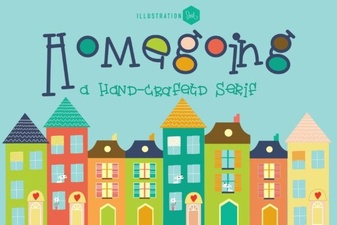 The Homegoing Font: a Creative Typography Guide
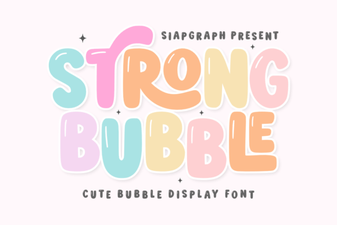 Free Bubble Letter Fonts for Creative Projects
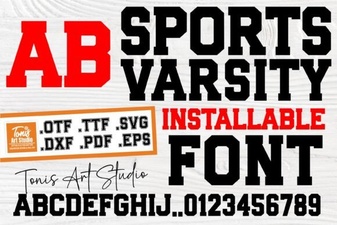 Free Sports Varsity Fonts & Design Inspiration
 Cormorant Garamond: a Designer's Modern Classic
 Retro Fonts for Playful Kids' Projects
 Design with Grinched 2.0: Festive Project Ideas